



Why would I want to use Metalink?
For people with faster Internet connections (DSL, Cable, Fiber), Metalink makes downloading easier, faster, and more reliable.
If you're on an error prone connection, Metalinks with repair information can fix any errors you get in transfer. Most downloads probably don't max out your downstream bandwidth. Metalink will help. Metalink, it's speed! HOORAY SPEED!
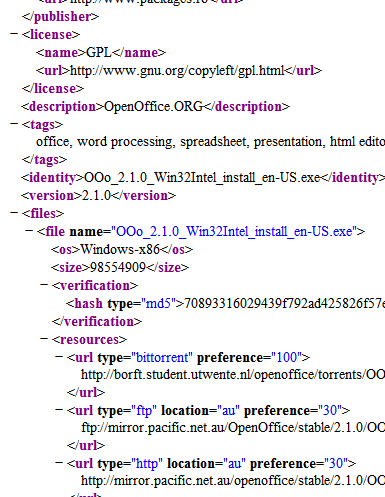
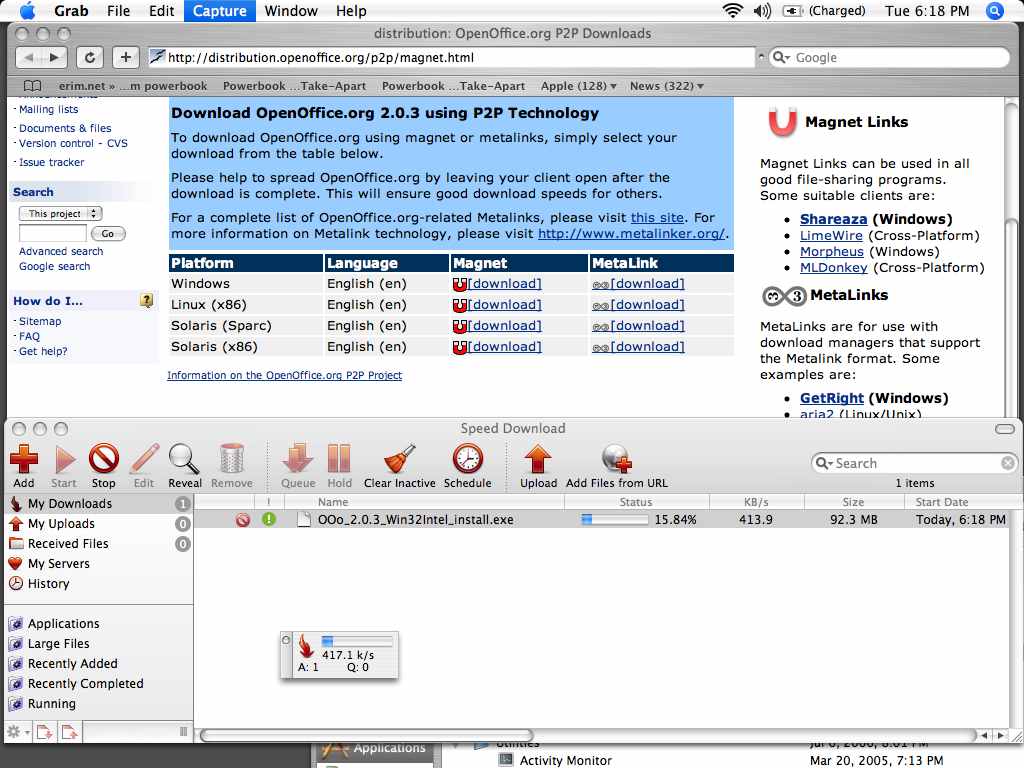
Why should you use it? Users Your downloads will be simpler, faster, and more reliable...without you doing anything differently. Developers It's a neutral framework that doesn't favor any one program, Operating system, or group, and is easy to implement. It works well with the Web architecture. Site owners Resume and recover from single servers going down. Downloads can automatically be split between sources (mirrors/P2P) and all downloads will be verified. More people can get access to your files easier, more reliably, even at the most heavily accessed times. This means less retries and cheaper bandwidth and support bills. Saving money = good. 
Metalink Reading Room In Print... Linux Format, Issue 119 (June 2009), p. 60-61, "What on Earth is Metalink?" Linux Format, Issue 108 (August 2008), p. 35, Aria2. Articles... January 2009: MirrorBrain "Handle mirrors with Peter Poeml" November 2008: Linux Magazin: "Mirrorbrain, der Redirector und Metalink-Generator des Opensuse-Projekts - Optimale Lastverteilung" (German only) July 2008: Debian Package of the Day: aria2. May 2008: UbuntuWeeklyNewsletter: "Metalinks, what are those?" April 2008: hardware.no: Forenkler nedlasting (Norwegian only) July 2007: TheHindu.com, "Downloading Made Easy" June 2007: Fedora Weekly News, "Metalink: A new way of distributing Fedora ISOs?" May 2007: PacktPub, "Downloading evolved with Metalink" March 2007: Slashgeo, "Downloads Based On Location" March 2007: Geospatial Semantic Web Blog, "Metalink meets RDF and SPARQL." February 2007: Semantic Focus, "Metalink combines FTP and HTTP with optional P2P." February 2007: Geospatial Semantic Web Blog, "Metalink unifies Internet downloads." February 2007: Slashdot, "Metalinks Tries to Simplify Downloads." February 2007: Free Software Magazine, "Using Metalinks" January 2007: Web Host Industry Review, "P2P saves on bandwidth costs." January 2007: Read/WriteWeb, "Metalink Makes Large Downloads Easier" November 2006: OS Resources, "Making Metalinks" November 2006: | Linux.com, "Downloading bliss with Metalink" (Japanese, Chinese). September 2006: P2P File Sharing, "Metalink: A Better Way to Download" August 2006: Downloadsquad, "Metalinks: Integrated BitTorrent, HTTP, and FTP downloads" August 2006: TorrentFreak, "Metalinker: integrating HTTP, FTP, and P2P" February 2006: Freshmeat.net, "The Problem With Mirrors" Audio / Podcasts... FLOSS Weekly 63 (April 2009): Wubi (Podcast) Agostino Russo talks with Leo Laporte and Randal Schwartz. Metalink, used by Wubi, is mentioned by Ago around 43:30. Open Ethos Podcast (May 2008): Metalink Podcast, interview with Ant Bryan. Other Metalink related podcasts hosted by Ant Bryan: Open Ethos Podcast: Shawn Wilsher from Mozilla talks about Firefox. Open Ethos Podcast: Anne van Kesteren of Opera talks about open standards. Open Ethos Podcast: Daniel Stenberg (cURL project) on FTP vs HTTP. Open Ethos Podcast: Daniel Stenberg from cURL project Podcast. Open Ethos Podcast: Appupdater Podcast. Videos / Presentations... FOSDEM 2009: MirrorBrain - Free CDN for Free Software Projects. Slides / Video (230 MB, ogg format). ApacheCon EU 2008: MirrorBrain - Scaling Your Download Infrastructure With Your Success" (Slides) openSUSE Knowledge Sharing 2008 Slides / Video (480 MB, ogg format). FOSDEM 2007: Metalink Lightning Talk by Bram Neijt (Video) 

|